TLDR – Summary
Fit+, one of the largest fitness franchise systems in the DACH region, rebuilt its entire website infrastructure with Greyd.Suite to support rapid growth across 300+ locations.
The project team built a scalable system of several WordPress multisite installations, where all sites are connected to each other and templates, post types and other elements are synchronized via Greyd.Suite’s Global Content. With a highly dynamic, data-driven setup controlled by a single franchise data entry per location, Fit+ can centrally control all their 300+ studio sites, while still benefitting from individual content on each one for local marketing and SEO. The new system ensures full design consistency and simplifies content maintenance to a few input fields and radio buttons triggering conditional contents. It enables instant rollout of campaigns, pricing, and updates across the entire network.
As a result, Fit+ has transformed its websites into a scalable growth engine, supporting continued international expansion with minimal resources.
The Results

Instant campaign rollouts
Instant rollout of campaigns and updates across

Reduction of manual work
Thanks to automated synchronization and Global Content structures

Faster time-to-market
Setting up websites for new studios only takes 30 minutes

Scalable infrastructure
Fit+’s future-proof infrastructure has them prepared for rapid international growth

Consistent Brand Identity
Fit+ maintained consistent brand identity across 300+ locations
The Challenge:
As Fit+ continued expanding, its digital infrastructure could no longer keep up. The franchise network had grown historically into a large WordPress multisite containing 260 subsites. With a their marketing agency team and one freelance web developer, Fit+ faced several key challenges:
- A complete website relaunch was required, but resources were limited.
- Legacy systems slowed even basic operations – a single database-wide search-and-replace took 30 minutes.
- The plugin used for partial content synchronization was no longer sufficient for the scale and complexity of the system.
- Maintaining design consistency and content accuracy across hundreds of franchise sites was nearly impossible.
A Scalable Multi-Multisite Architecture Built for Franchise Growth
To support Fit+’s rapid expansion and complex franchise requirements, the project team used Greyd.Suite to build a scalable system of several WordPress multisite installations built around two coordinated master sites:
- Club Admin Master
This is the central creation and management environment. All global structures are defined here – including post types, navigation logic, templates, and content models. New features, content types, or structural changes are created once in the Club Admin and then synchronized using Greyd’s Global Content clusters. - Club Master (Blueprint)
The Club Master serves as the blueprint for all franchise websites. All data, templates, and structures flow into this master, which ensures that every new Fit+ location site is created with the same consistent foundation.
Any new franchise website is essentially a direct extension of this blueprint — ensuring brand consistency, stability, and fast deployment.
This architecture allows Fit+ to centrally control structure and design while still enabling fully localized content for each individual studio.
Dynamic Content Controlled by Structured Post Types
Instead of managing content through manually edited pages, Fit+ relies on a structured set of dynamic post types that work together seamlessly.
Franchise Data: One Post That Controls Everything
The Franchise Data post type is the central control element of the entire system. Each franchise location has exactly one Franchise Data entry, containing:
- Contact details
- Opening hours
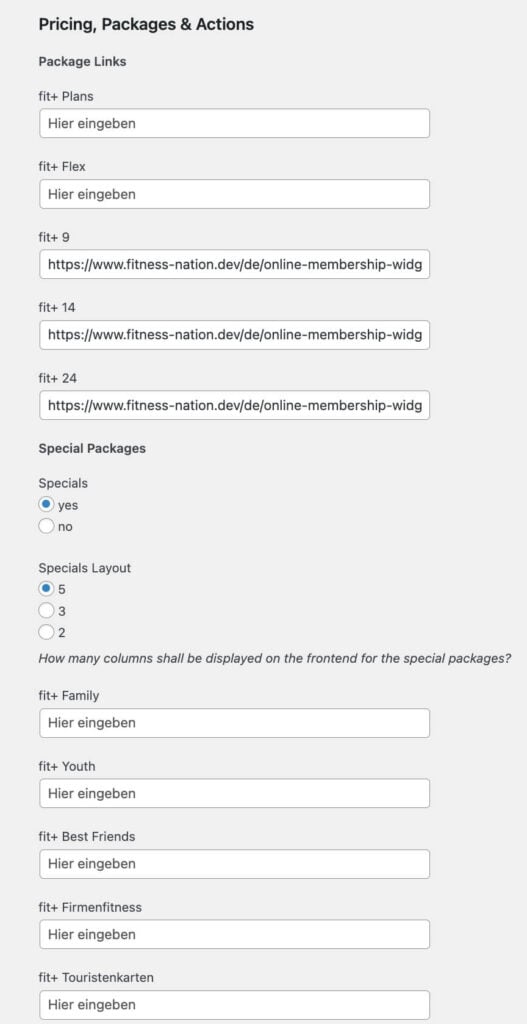
- Selection of pricing packages and specials incl. choice of layout variants
- Selection of the applicable cancellation policy
All inputs and selections are made via simple fields and radio buttons, making content maintenance extremely fast, safe, and non-technical.
Using Greyd’s Dynamic Templates and Conditional Content, the website automatically adapts based on these selections. Campaigns, pricing, features, legal content, and layouts are displayed without any manual page editing. In fact, the franchise data post is the only part of the website local franchise managers need to access – eliminating errors and protecting design integrity.
Hero Banner
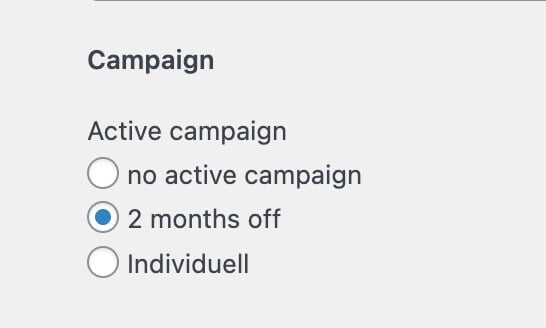
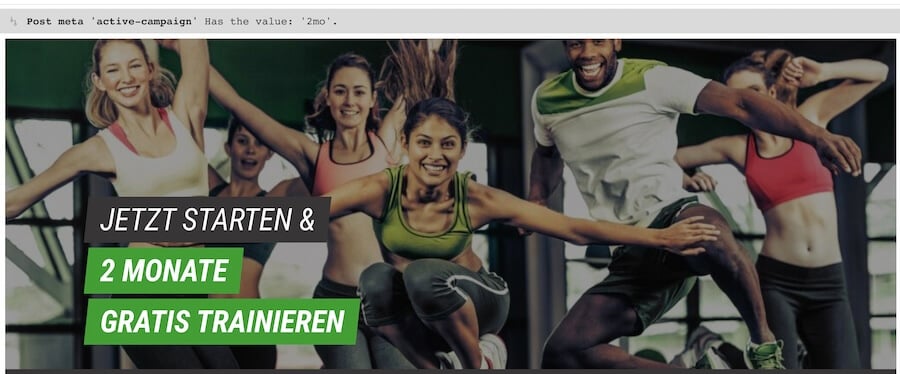
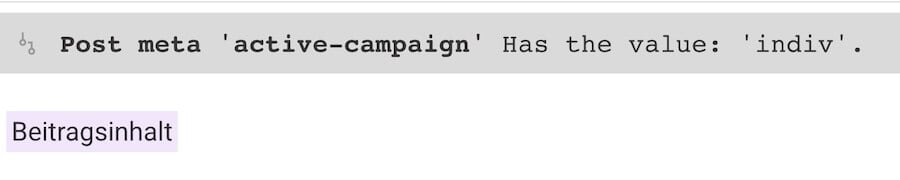
The hero section of the frontpage is fully synchronized and comes with three different variants: one for a “2-months-off” campaign, one with no active campaign and one with custom content. Which hero banner is displayed on a franchise site is determined automatically based on selections made in the Franchise Data post – enabling instant campaign rollouts across the entire network.
Depending on the selection in the franchise data post, the respective hero section is displayed automatically with Greyd’s Conditional Content based on post meta information.
Pricing Packages
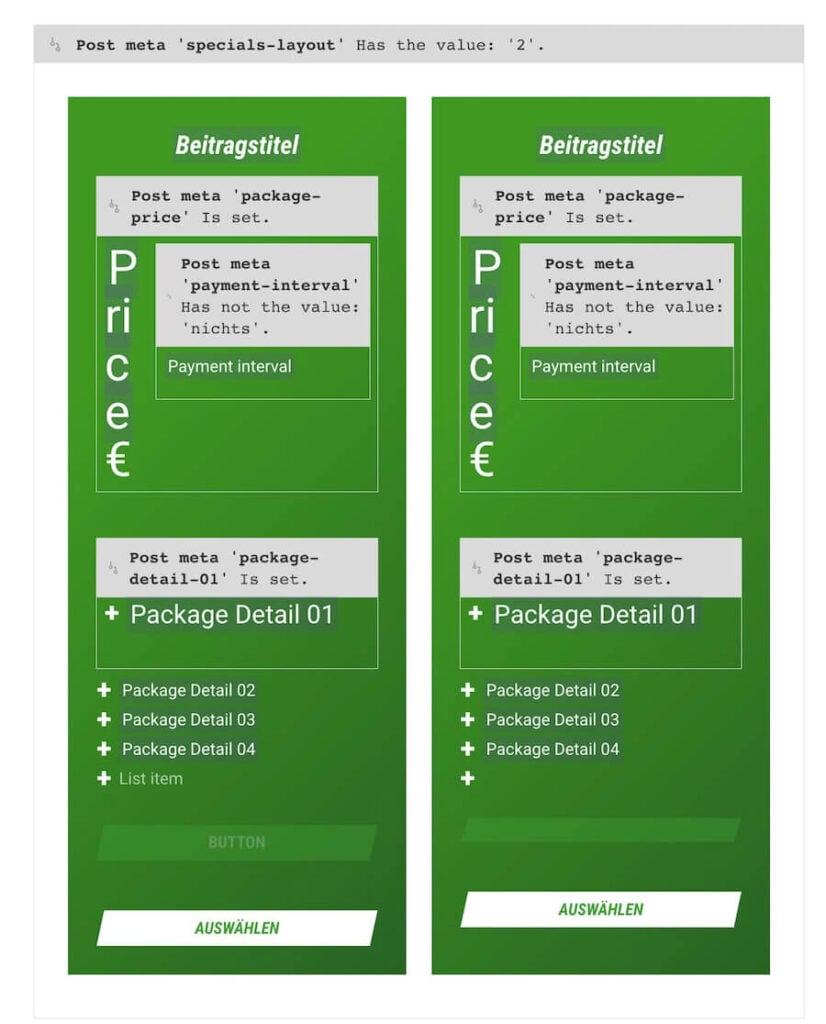
Pricing is handled through 12 predefined pricing package posts, which are synchronized from the Club Master to all franchise sites. They can be combined and displayed dynamically. Each franchise simply selects the relevant pricing options in its Franchise Data post, and the correct packages — including layout variants — are displayed automatically on the website.
Features
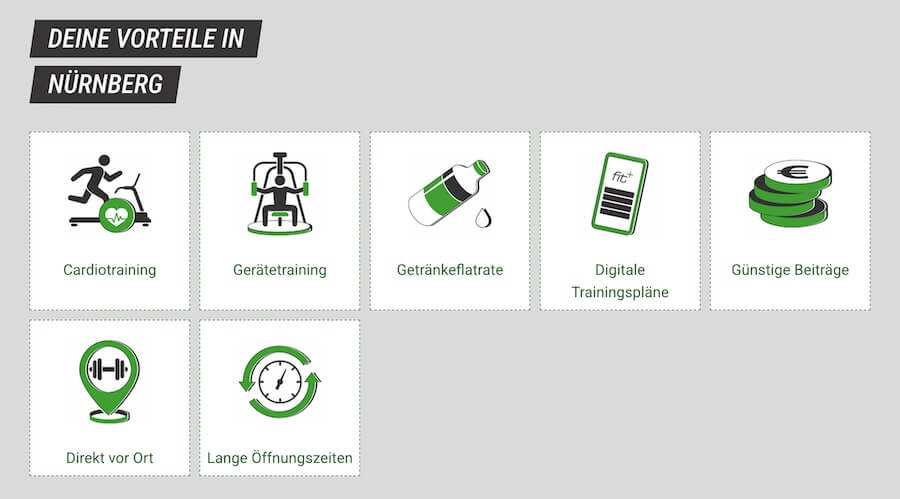
Studio features are also managed as structured posts. Each franchise site generally gets all feature posts synchronized from the Club Master and can easily trash the ones not relevant for their studio. On the page a query loop is used to automatically display all available features. This ensures clarity for users while keeping maintenance effort minimal.
Smart Forms with Conditional Logic
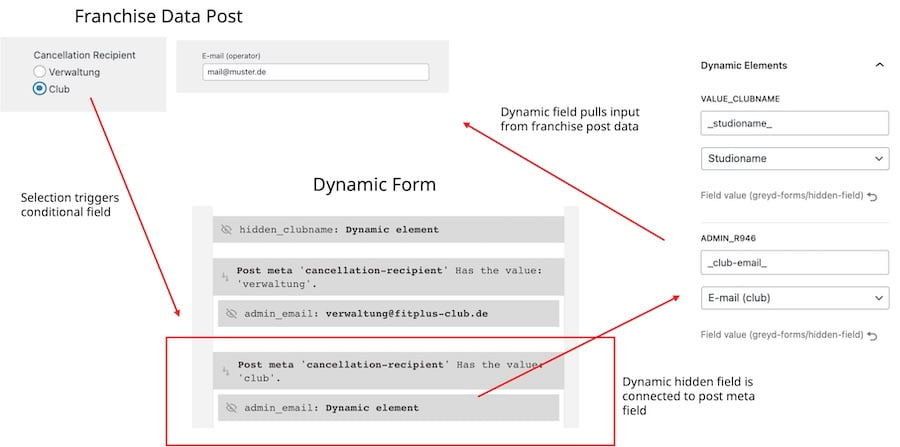
Fit+ also implemented a dynamic cancellation form that reacts directly to the selections made in the Franchise Data post. Depending on the chosen cancellation policy, the form automatically fills the hidden field which triggers form follow-up actions with different email addresses. If users select “to management” in the cancellation options, a form submission will trigger an admin notification to the Fit+ management. If “to studio” is selected, the admin notification will automatically use the dynamic data with the studio email address. This ensures that cancellations are handled correctly for each studio — without requiring manual configuration or multiple form versions.
Centralized Storefinder with Live Location Data
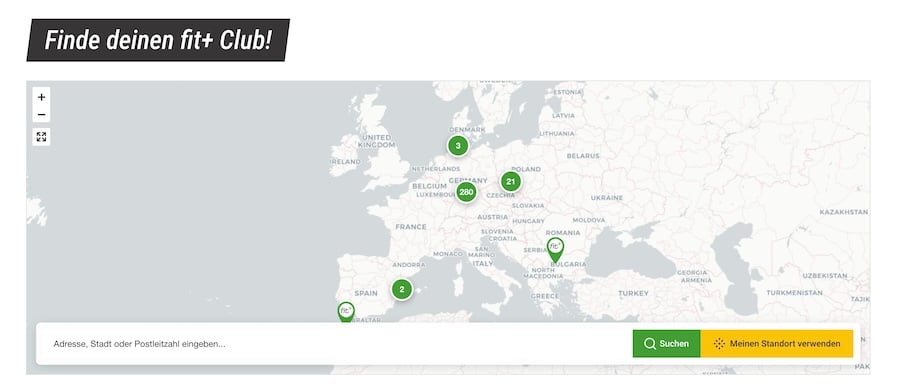
To support users searching for nearby studios, Fit+ integrated a centralized store finder solution. Franchise location data is imported via API from Fitness Nation using Greyd’s API Connector. The location posts are then displayed visually using the Greyd Maps OpenStreetMap block, ensuring up-to-date, accurate location data across all websites — without manual maintenance.
Built for Speed, Simplicity, and Scale
Thanks to this highly structured, data-driven setup, Fit+ can now launch a fully branded, fully functional franchise website in under 30 minutes.
The system enables a small team to manage hundreds of locations efficiently — while maintaining design consistency, operational flexibility, and future scalability.
Scenarios: How the System Works in Practice
Scenario 1: Opening a New Franchise Location
When a new Fit+ studio opens, creating the website is no longer a complex project — it’s a standardized process that takes just minutes.
Using Greyd.Hub, the team creates a new site within the multisite environment with only a few clicks and connects it to the Global Content network. As soon as the site is connected, it automatically receives all templates, structures, layouts, and global elements from the Club Master blueprint.
From there, the only required step is to fill out the Franchise Data post:
- contact details
- opening hours
- pricing packages and specials
- applicable policies
Based on these simple inputs, the website automatically displays the correct campaigns, pricing, features, and legal content using Greyd’s Dynamic Templates and conditional logic.
The result: a fully branded, compliant, and ready-to-launch website — live in under 30 minutes, without manual page building or technical intervention.
Scenario 2: Launching a Campaign for Selected Studios
When Fit+ wants to run a campaign that applies only to specific studios, the process remains just as streamlined.
All campaign content – such as hero visuals, copy, pricing options, and feature highlights – is created centrally on the Club Admin site. The team then sets up a Global Content cluster that includes only the studios participating in the campaign. With a single synchronization step, the campaign is rolled out automatically to the selected franchise websites. Layouts, content, and design are applied consistently, while non-participating studios remain completely unaffected.
This allows Fit+ to:
- launch targeted campaigns quickly
- maintain full brand consistency
- avoid manual updates across individual sites
Campaigns can be updated, paused, or removed just as easily – all from one central place.